Reconciling bank transactions
Import activity, auto-match to the ledger, and clear unmatched items before close.
Overview
Reconciliation matches imported bank and card activity to events on the ledger. TripleBooks suggests matches from amount, date, and counterparty, then leaves unmatched rows for you — or Luca — to classify.
Step 1: Import
Bring activity in from:
- Plaid — Treasury or Settings → Integrations
- CSV — Luca chat, or Accounting → Import & Sync
- API —
POST /api/imported-transactionswhen you automate ingest
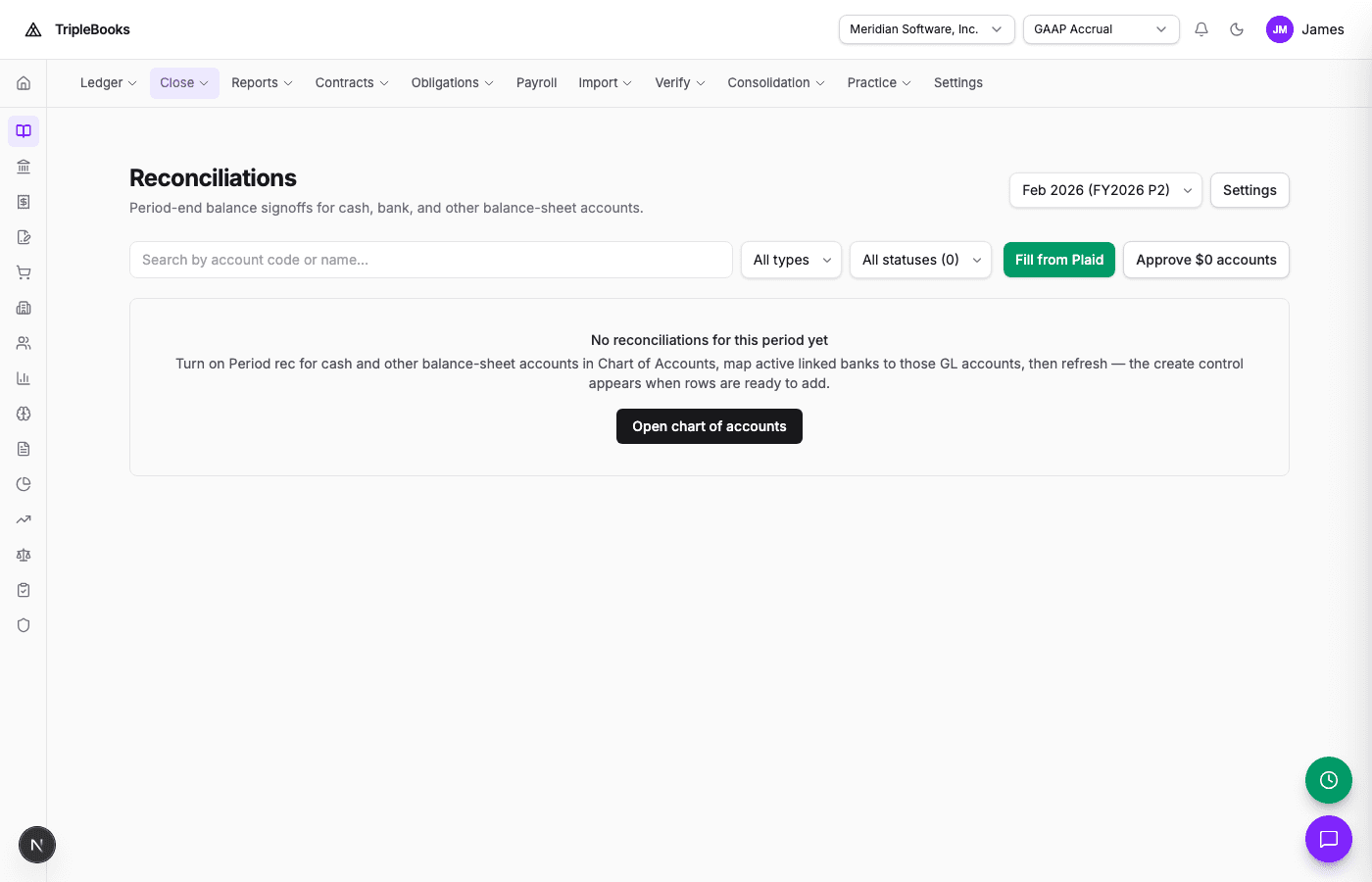
Then open Accounting → Reconciliations (/accounting/reconciliations) under Close. Pick a period (for example Feb 2026). Rows appear after you turn on period rec on cash accounts and map linked banks.
Step 2: Review matches
Auto-match looks at:
- Amount (exact or near)
- Date proximity
- Counterparty name (fuzzy)
- Patterns from matches you have already confirmed
Review the Matched list for the occasional wrong pair.
Step 3: Unmatched rows
On Unmatched:
Classify as a new event
Most leftover rows are new activity. Ask Luca (G then L):
Classify all unmatched transactions
Or open a row and pick the event type yourself. The posting engine writes journal lines from your rule packs.
Link to an existing event
If the feed row is the bank side of an event that already exists, match them by hand.
Exclude
Use Exclude for internal transfers, duplicate feed echoes, or items you track another way. Excluded rows leave the queue; you can restore them later.
Step 4: Summary
Aim for zero unmatched before you close the period. The summary shows imported, matched, excluded, and still open.
Tips
- Reconcile before period close
- Filter by account so you finish one feed at a time
- Luca classification improves as you confirm patterns